
What Is IPTV and How Does It Work?
Understand how IPTV works, what a player app does, and whether you need extra equipment. A practical introduction for viewers in Ireland, with checks to make before choosing a service.
On this page
What is IPTV? It stands for Internet Protocol television: television and video delivered over IP-based networks. You watch through compatible equipment and software, with access supplied by a content service. The technology describes delivery; it does not tell you which programmes are included, what an app costs or whether a particular device is supported.
If you are researching “what is IPTV” before choosing a service in Ireland, start with those distinctions. They help you avoid buying an unnecessary box or mistaking an app activation fee for a television subscription. This guide explains the process and gives you nine checks to make before ordering.
1. Understand what IPTV actually means
The International Telecommunication Union’s definition describes multimedia services delivered through IP-based networks managed to support specified levels of quality, security and reliability. Consumer discussions also use the term more broadly for internet-delivered television. Those uses overlap, but they do not describe identical technical arrangements.
So, what is IPTV telling you about an offer? Mainly that IP-based delivery is involved. The label alone does not establish channel availability, device support, a connection allowance or a seller’s authority to distribute the content. Each of those needs its own answer.
Think of the technology and the offer as separate questions. Understanding “what is IPTV” explains the delivery method. Understanding a subscription means reading what a particular seller supplies, what you must provide yourself and which terms apply. A shared label does not make two services interchangeable.
2. How does IPTV work?
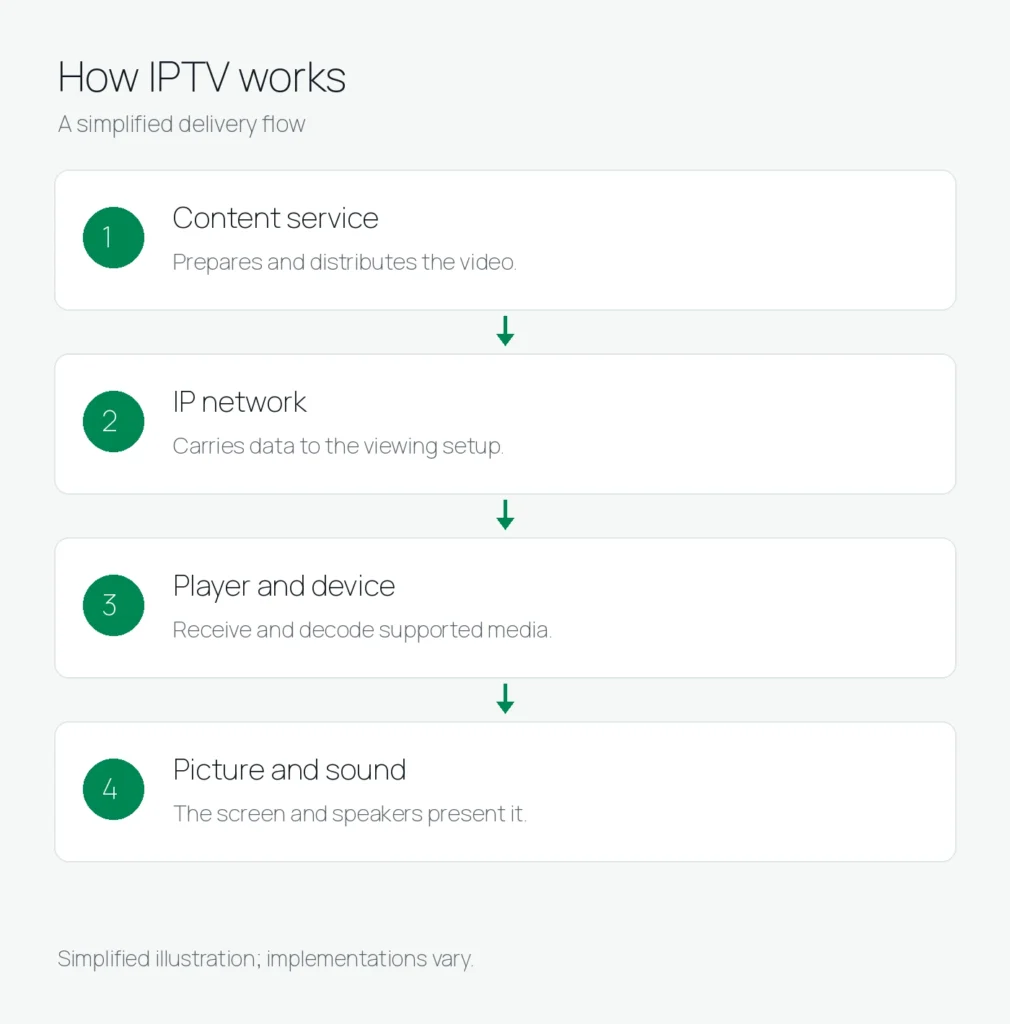
A useful answer to “what is IPTV” follows the video from the service to the screen. The details vary, but the basic roles are straightforward:
- The content service prepares and distributes video. It makes the programmes in its offer available through a supported viewing system.
- An IP network carries the data. The delivery uses the relevant network connections between the service and viewer.
- A compatible player and device handle playback. Software and hardware receive and decode supported media.
- Your screen and speakers present the result. You see the picture and hear the sound.
Streaming lets playback begin while more media arrives. You do not need to wait for the whole programme to download first. VideoLAN’s documentation describes this behaviour and explains network-stream playback in VLC.
This is a simplified explanation of how the parts fit together, not a verified architecture for IPTV Ireland Fast or any other provider. It does not mean every service uses the same network design. When asking “what is IPTV” in practical terms, remember that several components must work together; the router alone does not provide programmes.
3. Separate the service, player and equipment
One reason “what is IPTV” can seem confusing is that the same term appears on subscriptions, applications and hardware listings. These purchases can serve different purposes.
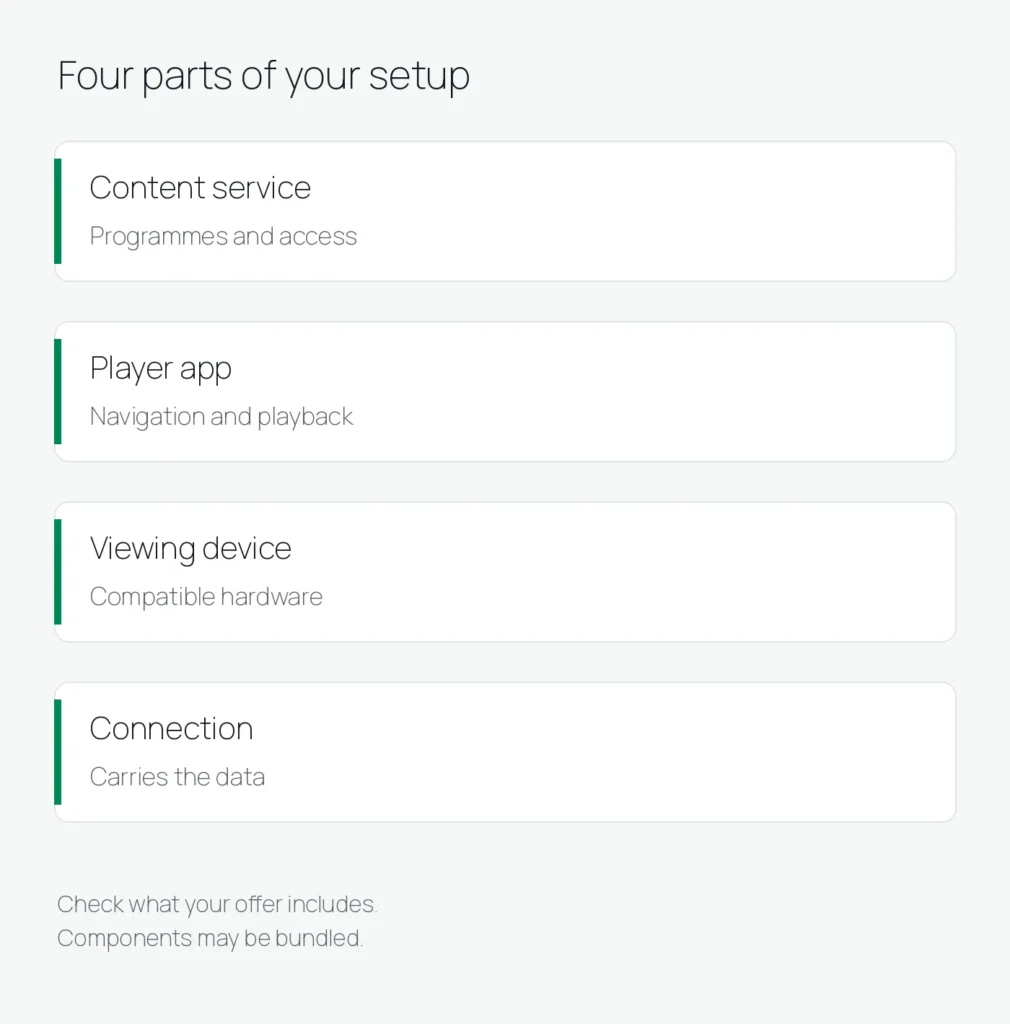
| Component | Its role | What is not automatically included |
|---|---|---|
| Content service | Supplies access to the programmes included in the offer. | A separate app licence, viewing device or broadband connection. |
| IPTV player | Provides software for navigating and playing supported content. | A content subscription or permission to watch particular programmes. |
| IPTV box or other device | Provides compatible hardware and runs the required software. | Every player app or an ongoing content package. |
| Internet connection | Carries data to and from internet-based services. | A television subscription or uninterrupted playback. |
Some offers bundle several components. Others sell only software or equipment. Paying an app developer and paying a content seller may involve different businesses, receipts and support arrangements.
What is IPTV access, then? It is the supported arrangement through which the service makes content available to you. Depending on the software and service, this might involve account credentials, a playlist URL or another method. Do not assume every player accepts the same format.
For anyone comparing offers after searching “what is IPTV”, the useful question is simple: what exactly does this payment include? Get a clear answer before buying an app, a device or a subscription.
4. Choose an IPTV player that fits your setup
An IPTV player is the software you use to open, navigate and play supported content. Its appearance, available features and supported access methods depend on the application. Installing it does not automatically create an account with a separate content service.
When looking up “what is IPTV” alongside app names, check which business provides the software and which provides the programmes. An app activation charge may cover only the player licence. Equally, an offer could bundle software with content, so read the actual description rather than assuming all arrangements are separate.
Before choosing a player, establish:
- Whether it is available for your exact device and software version.
- Whether it accepts the access method supported by the service.
- Whether there is a separate fee or evaluation period.
- Who handles app-related questions and who handles the content order.
You do not need to collect several apps before starting. Confirm one suitable combination, understand its costs and prepare it using the relevant instructions. Avoid entering account details into unfamiliar applications merely because they appear in search results.
The question “what is IPTV” becomes easier once you stop expecting the app to supply everything. The player has a role, but it is only one part of the viewing arrangement.
5. Check your device before buying an IPTV box
What is IPTV like on the television you already own? That depends on the television’s software, the available player and the service’s supported setup. “Smart TV” does not mean every model runs the same applications.
Record the exact model and operating system before comparing instructions. A player available on one platform may not be available on another. Two televisions from the same manufacturer may also have different capabilities.
A dedicated IPTV box is not automatically necessary. If your existing television or another connected device supports the required player and service, you may already have suitable equipment. A separate compatible device can be useful when the screen lacks the required app or capabilities.
Use this decision aid before spending money:
| Equipment you have | Check first | Decide next |
|---|---|---|
| Smart television | Exact model, software and supported app availability. | Whether its built-in setup is suitable. |
| Existing streaming device | Player compatibility, access method and screen connection. | Whether it can serve your intended use. |
| Computer, phone or tablet | Operating system and supported viewing arrangement. | Whether that is the screen you actually want to use. |
| Several household screens | Permitted simultaneous use and each device’s compatibility. | Which plan and equipment combination fits the household. |
Our compatible IPTV devices guidance is a starting point. It does not replace checking the specific model and application. Learning “what is IPTV” should help you make that decision, rather than turn a generic box label into proof of compatibility.
6. Assess the connection where you watch
What is IPTV asking of your home connection? It needs data to reach the viewing device reliably enough for the intended stream. A headline broadband speed does not describe Wi-Fi conditions beside a television several rooms away.
ComReg’s home broadband guidance explains how router distance, obstacles and household activity can affect performance. It also recommends a wired connection when checking the speed you receive against the package you pay for.
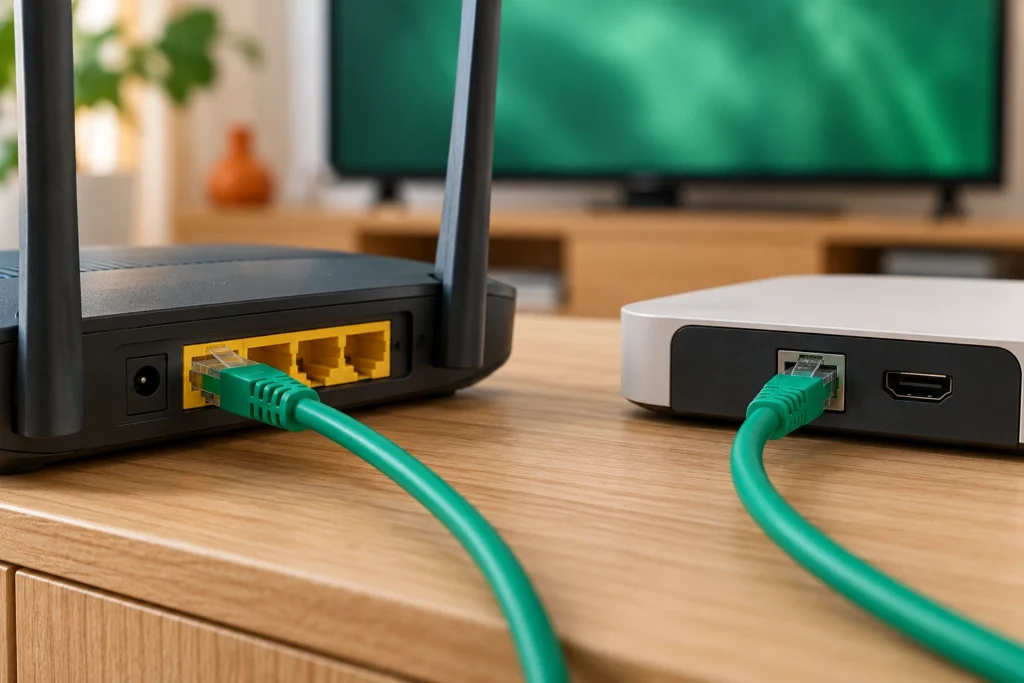
Where supported, compare Wi-Fi with Ethernet to investigate whether the wireless link contributes to a problem. A cable is not a universal cure: the viewing device, service or wider connection may also need investigation.
There is no single speed figure appropriate for every stream and household. Video bitrate, picture settings and concurrent activity affect demand. Ask about the intended service’s requirements rather than choosing equipment from an unsupported universal number.
If your starting question is “what is IPTV”, you do not need a complex network diagnosis immediately. Begin with the actual room, device and viewing times. Check what else uses the connection, then investigate specific symptoms if they arise. Avoid blaming the broadband provider solely because playback stops.
7. Check viewing options and trial conditions
What is IPTV offering beyond a live channel schedule? That depends on the service, its content arrangements and the selected offer. Three common viewing concepts are worth separating:
- Live television: a scheduled channel showing the programme currently airing. The programme itself may be live or prerecorded.
- On-demand video: an available title you can select and start when you choose.
- Catch-up: access to an earlier broadcast after its scheduled transmission, where provided.
Not every service offers all three. A catch-up menu does not establish replay access for every channel, and an on-demand section does not establish which titles your subscription includes.
What is IPTV like during your normal viewing hours? A trial, if offered, can help answer that practical question. Prepare the intended device and player beforehand, read when access starts and ends, and identify the features you actually want to evaluate.
Use your own screen and connection rather than relying on someone else’s experience. Check navigation, relevant viewing options and any permitted simultaneous use. Note problems accurately instead of assuming that one interruption proves a particular cause.
A trial can inform a decision about your setup during that period. It cannot guarantee future performance or establish the seller’s rights to distribute the content.
8. Compare the full price and written terms
For a reader moving from “what is IPTV” to an order, the next step is understanding the complete offer. Separate the possible costs instead of comparing subscription figures in isolation.
Content access covers the viewing offer and its duration. Player software may have a separate licence or activation charge. Equipment may involve a device or accessory if your existing setup is unsuitable. Connectivity is the connection you use for viewing.
Not every setup requires an additional payment in every category. Ask which parts are included, which payments go to separate businesses, and which charges could recur. Keep the answers with your order confirmation.
What is IPTV renewal supposed to involve? The arrangement should be explained by the seller. For IPTV Ireland Fast, renewals are manual; a new period is not automatically charged as a recurring subscription. Confirm the current order details before paying.
Also clarify when access begins, how long it lasts and what support or refund terms apply. If simultaneous viewing matters, distinguish registered devices from active streams. Installing an IPTV player on several screens does not automatically permit all of them to watch at once.
Review the subscription options against your intended use. A clear plan description is more useful than assuming that all services discussed under “what is IPTV” include the same features and conditions.
9. Prepare support details before you need them
Understanding “what is IPTV” also helps you describe a problem. An app that will not open, an account that cannot sign in and a stream that stops during playback are different symptoms. They should not automatically lead to the same fix or purchase.
Record the device model, player name, any visible error and the time of the issue. Note whether it affects one item or several and which checks you have already tried. Do not share passwords or complete private playlist addresses in public screenshots.
Questions about the app licence may belong with its developer; questions about the content order may belong with the service seller. Connection problems may require checks within the home or with the broadband provider. A symptom by itself does not establish responsibility.
What is IPTV support able to check remotely? Start by asking what information the relevant support contact needs, rather than sending unnecessary account or payment data. Follow the device setup guides where applicable and keep a record of the response.
Before paying for a second subscription or replacement IPTV box, ask for a clear explanation of the suspected problem. Buying another component without understanding the issue may leave the original cause unresolved.
A practical example of preparing a household setup
Consider a hypothetical household in Ireland with a smart television in the sitting room and a router in the hallway. Their initial question is “what is IPTV”, but their purchasing decision depends on more specific checks.
They first identify the television and confirm whether the supported player is available. If it is not, they investigate a compatible separate device before buying one. Next, they ask which access method is supplied and whether any app charge is separate from the content order.
They assess the connection at the television and clarify whether a second person will watch independently elsewhere. If a trial is available, they prepare the equipment before it begins and evaluate the viewing options relevant to them.
This example describes a process, not a customer testimonial or successful test result. It illustrates how a broad introductory question becomes a set of practical decisions without inventing measurements or outcomes.
Keep access details separate from support evidence
Preparing the right information does not mean sharing everything connected with the order. Before sending a screenshot, check it for passwords, complete access URLs, payment details and private contact information. A useful screenshot normally focuses on the visible symptom rather than exposing the entire account screen.
Keep the subscription confirmation and any separate app receipt together, but identify which business issued each one. If you need help, explain whether the question concerns player activation, content access, the device or playback. This is more useful than sending the same message to several unrelated contacts.
How does IPTV work when a household uses more than one screen? The same component checks still apply, but each viewing device needs an appropriate supported setup and the order must permit the intended simultaneous use. Confirm the arrangement before sharing access details with anyone else.
Treat setup instructions as specific to the software and equipment involved. If a guide does not match the app you installed, stop and confirm the correct version or supported method. Do not assume an unfamiliar menu means you should buy a different service immediately. Keep changes deliberate so you can explain what was tried if support is needed.
Frequently asked questions
What is IPTV short for?
It means Internet Protocol television. The term refers to television and video delivery through IP-based networks; it does not identify a particular app, box or content package.
What is IPTV without a separate box?
It can be a supported viewing arrangement on an existing smart television, computer, phone, tablet or other compatible device. Whether that works depends on the player, service and exact equipment.
What is IPTV compared with a player app?
The technology describes delivery. An IPTV player is software used for supported playback. A player purchase does not automatically include a content subscription, although some offers may bundle components.
Can more than one person watch at once?
Only where the selected offer permits the intended concurrent use. Check the stream allowance and each device’s compatibility. Several installed apps do not necessarily mean several authorised active streams.
Why can a fast connection still buffer?
Broadband speed is only one factor. Local Wi-Fi conditions, household activity, the viewing device and the service can affect playback. Describe the symptom and check the actual setup before assigning a cause.
Your next step
You now have a practical answer to “what is IPTV”: a delivery method used within a viewing setup whose content, software, hardware and connection must fit together. Check the equipment you already own and the written offer before spending more.
If you want to evaluate IPTV Ireland Fast, review the 24-hour trial details and confirm the conditions. Use the trial to assess your intended setup, with clear expectations about what it can and cannot establish.