
Best IPTV Player for Samsung TV: 7 Practical Checks Before You Choose
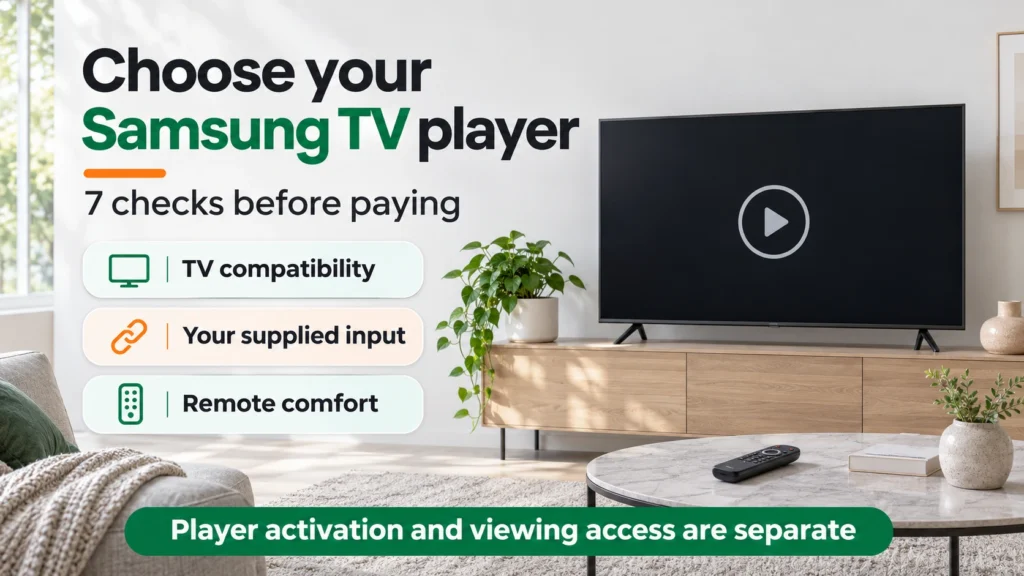
Choose a Samsung TV player by checking your model, app availability, supplied login and everyday remote tasks before paying for activation.
On this page
There is no universal best IPTV player for Samsung TV. Choose by confirming your television’s model and platform, finding the genuine app on its supported route, matching your supplied input and testing everyday remote tasks. Smart IPTV and SETIPTV are documented candidates to investigate, not tested winners. Check picture, sound and current activation conditions before paying. A player activation and your authorised viewing access are separate; neither an app listing nor a purchase proves that your intended source will play.
Begin with the television you own, rather than a recommendation for an unspecified Samsung set. A comfortable player needs to fit both its technical platform and the way your household uses the remote from the sofa.
1. Identify the model before choosing the best IPTV player for Samsung TV
Record the exact model code and installed software build. Where platform identification is needed, use the model’s documentation instead of assuming that every Samsung Smart TV is Tizen. Purchase year alone is not a reliable substitute for the model.
Samsung’s developer model-group table maps television lineups to platforms, including Tizen and Samsung Legacy Platform. It helps establish why instructions for one Samsung set should not automatically be applied to another. A firmware build and a platform version are different labels.
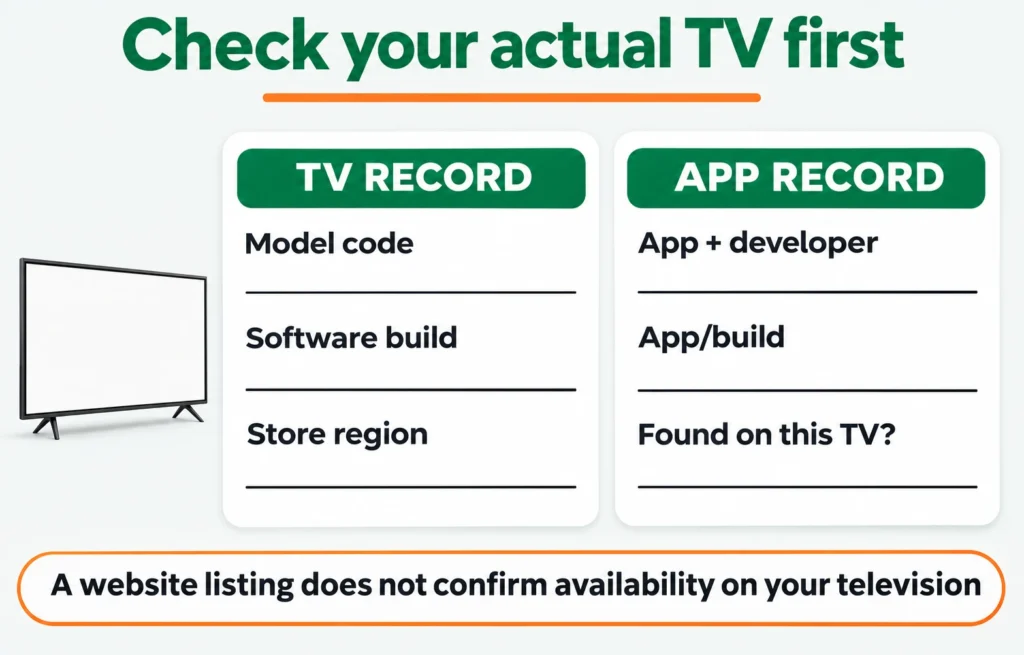
Keep a short record before investigating candidates:
- TV model code: __________
- Installed software build: __________
- App name and developer: __________
- App version/build, where available: __________
- Store region: __________
- Candidate found on this TV: __________
Do not publish the television’s serial number, account login or activation identifiers as part of that record. General model information and a sanitised description usually provide a better starting point for a compatibility question.
For the best IPTV player for Samsung TV decision, the model check comes before a paid licence. An activation cannot turn an incompatible television platform into a compatible one. If the platform remains unclear, ask Samsung or the app developer with the exact model code.
Date your model record when considering the best IPTV player for Samsung TV. If the software changes, note the new build beside the previous one. This makes a later support question more useful than a description such as “the same television as before”.
Installation is a separate task. Our general smart-TV installation guide covers that wider process; here, concentrate on selecting a suitable player before committing to it.
2. Shortlist the best IPTV player for Samsung TV through verified routes
Samsung’s app-management guidance says a Samsung account is needed for app downloads and that steps vary by model. Its example uses Home, Apps, Search and Install. Treat that as a documented example, not identical controls on every television.
Search the actual store using the precise app name, then check developer identity and model support. A similarly named application is not automatically the same product described in a tutorial or on a developer site.
Samsung also notes regional differences in available apps, with interfaces and specifications varying. A website catalogue therefore does not prove that a candidate is downloadable on your television today.
| Candidate | Documented evidence | What you must confirm |
|---|---|---|
| Smart IPTV | Developer describes Samsung Apps availability for Tizen TVs from 2019, with separate older-model routes | Exact model, current regional availability and supported playlist handling |
| SETIPTV | Developer describes M3U/Xtream input, an app trial and device-bound activation | Availability on your own Samsung TV, current build support and purchase conditions |
Smart IPTV’s Samsung documentation describes routes for different television generations. That makes it a candidate to check against your model, not evidence that every Samsung set or region supports the same installation. This selection guide does not reproduce its older USB procedure or remote-button list.
SETIPTV’s FAQ documents playlist and account inputs and says it does not supply a viewing subscription. Those statements provide useful selection criteria without establishing how every Samsung build behaves.
An unanswered question should remain visible in your shortlist for the best IPTV player for Samsung TV. If the store shows a similar name but you cannot establish the developer, pause there. Neither an attractive logo nor a familiar product name settles the identity check.
These IPTV players for Samsung TV are a shortlist for investigation, not a ranked result. If either is absent or unsupported, do not force an Android APK onto Tizen. Verify a suitable route or consider a different platform separately.
The best IPTV player for Samsung TV should first be genuinely available and compatible. Only then does a comparison of navigation or optional features become meaningful. For broader criteria beyond this platform, use our general player-selection guide.
3. Match your input before choosing the best IPTV player for Samsung TV
Identify what your supplier gave you before entering information anywhere. A complete M3U link, server/username/password details and an app-upload identifier perform different jobs. The expected input must match the particular player’s supported method.
A playlist link identifies a resource the player or its supported management route retrieves. Preserve the complete supplied value. Our M3U playlist explanation covers the distinction between a file, a remote catalogue and its media entries.
Account-based access needs a compatible workflow for the supplied server address, username and password. Follow the Xtream login checks if that is what you received. Do not derive an address yourself or paste account fields into a route that only documents playlist input.
When choosing the best IPTV player for Samsung TV, also identify any device reference used by an upload portal. It may help associate a playlist with the app, but it is not proof that a content subscription is active or that playback succeeds.
Use only the genuine developer’s supported management route. Do not publish device identifiers, full URLs, tokens or credentials in examples and screenshots. An identifier that does not resemble a password can still be private setup information.
For the best IPTV player for Samsung TV comparison, record whether you used a saved file or a remote link. If your supplier replaces a file, your older saved copy remains the older copy. Ask which resource to use before blaming a player for different catalogue entries.
If the supplied input does not fit the candidate, ask for clarification before buying activation. A renamed profile or a paid unlock cannot automatically convert unsupported access into a supported source.
The best IPTV player for Samsung TV must accept the input you actually have through a documented method. A long feature list is of little help when the first connection step remains unresolved.
4. Test remote navigation from your normal seat
Once a candidate is available and the supported input is loaded, test the tasks your household repeats. Sit at the normal viewing distance and use the remote you actually own. A demonstration with a full-size button remote does not establish the same controls on a compact one.
For the best IPTV player for Samsung TV comparison, begin with one permitted item. Can you find it, recognise the selection and return from playback without getting lost? These are reader test tasks, not claimed observations about either candidate.
Four remote tasks to record
| Task | Observation to record | Your result |
|---|---|---|
| Find a supplied item | Correct item identifiable and selectable | __________ |
| Read guide text, if supplied | Readable from the normal seat | __________ |
| Return from playback | Expected list or guide context reached | __________ |
| Select an available track, if supported | Intended option reachable with this remote | __________ |
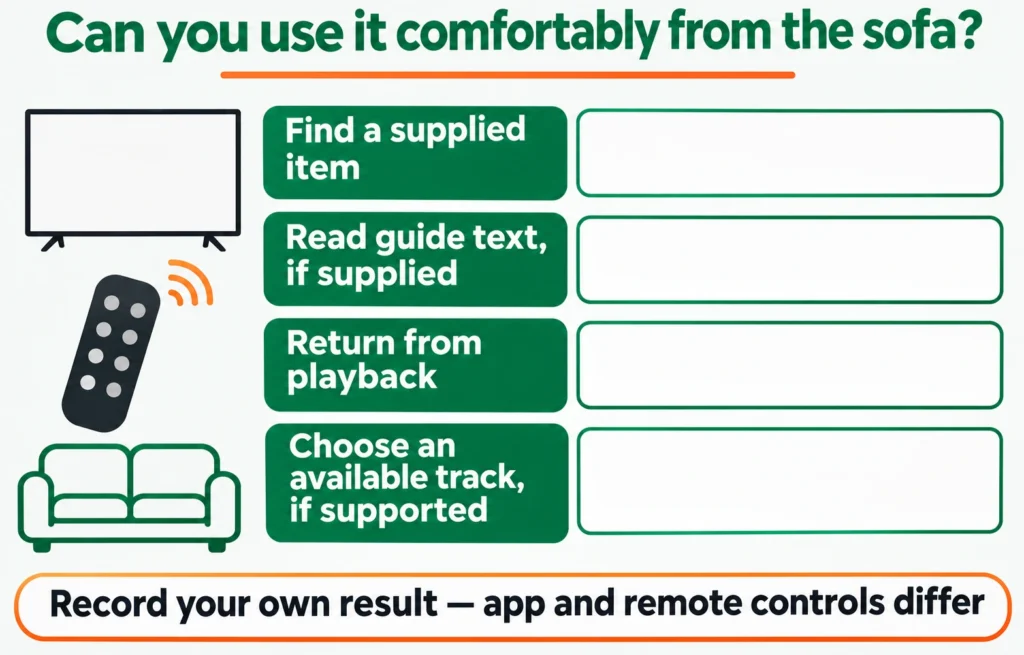
Keep all untested results blank. If a needed control is difficult to reach, note the action and remote type rather than assuming the function is missing. Ask about the current app/build’s documented route before buying another remote or application.
Describe an awkward task when asking about the best IPTV player for Samsung TV: where you started, the action you attempted and where you ended up. That allows a developer to clarify the control without guessing which shortcut you tried.
Guide text and focus indicators deserve separate attention. You may be able to open a programme grid yet find its selection hard to follow from the sofa. Conversely, comfortable navigation does not establish that the supplied schedule is accurate.
A household might value returning to its previous list position more than a rarely used extra feature. The best IPTV player for Samsung TV for that household should make the repeated task comfortable. Record what happens instead of assuming either candidate restores the position.
When comparing IPTV players for Samsung Smart TV, avoid treating a copied shortcut list as a usability test. Remote controls, app builds and model behaviour differ. Use what you can observe and the exact documentation relevant to your setup.
5. Check picture, sound and programme information separately
Select one item your account should currently be able to access. Keep the TV, app and connection unchanged while recording the result. Catalogue visibility, picture, sound and schedule data are different observations.
The Smart IPTV FAQ states that the player includes no channels and explains that stream compatibility depends on the television and source. Importing a list therefore does not establish successful playback of every entry. Do not infer guaranteed formats, resolution or archive availability from the app name.
For the best IPTV player for Samsung TV decision, separate these common outcomes:
- Empty list: check the intended resource and documented retrieval method.
- Visible list but no playback: record the selected permitted item and exact error.
- Picture without sound: investigate the available track and output separately.
- Working video with missing guide: investigate schedule data and mapping.
- An optional function is absent: confirm app, device, source and entitlement support before assigning a cause.
Choose a representative permitted item when assessing the best IPTV player for Samsung TV, and note why it represents your use. If audio-language selection matters, an item with a confirmed supplied track makes that test meaningful; an arbitrary item may not.
Use the channel-loading checks for catalogue versus media failures. If picture is visible but sound is missing, the audio troubleshooting guide keeps that branch focused. For an empty schedule, follow the EPG and mapping guide.
A hypothetical sofa test
Suppose a viewer assessing the best IPTV player for Samsung TV can see a permitted channel but hears no sound. The compact remote also differs from the one in a tutorial. These are two observations, not a diagnosis. The viewer notes the item, app/build and selected output, checks the documented audio controls for that setup, then stops playback before testing another permitted item. If the second item has sound, that narrows the question without proving a particular codec fault. The next support request can describe the difference instead of saying only that the app does not work.
A missing subtitle or audio option does not alone establish whether the source lacks it or the current route fails to expose it. Record the item and available choices. Do not promise that an activation payment supplies a missing track.
Catch-up needs supported archive material as well as compatible handling. A guide entry or replay label does not establish retained media, and a successful live channel does not validate earlier-programme requests.
The best IPTV player for Samsung TV is not identified by one successful channel. That result establishes one item under those conditions. A failure also does not identify a provider-wide outage, operator block or faulty television by itself.
6. Check terms for the best IPTV player for Samsung TV before paying
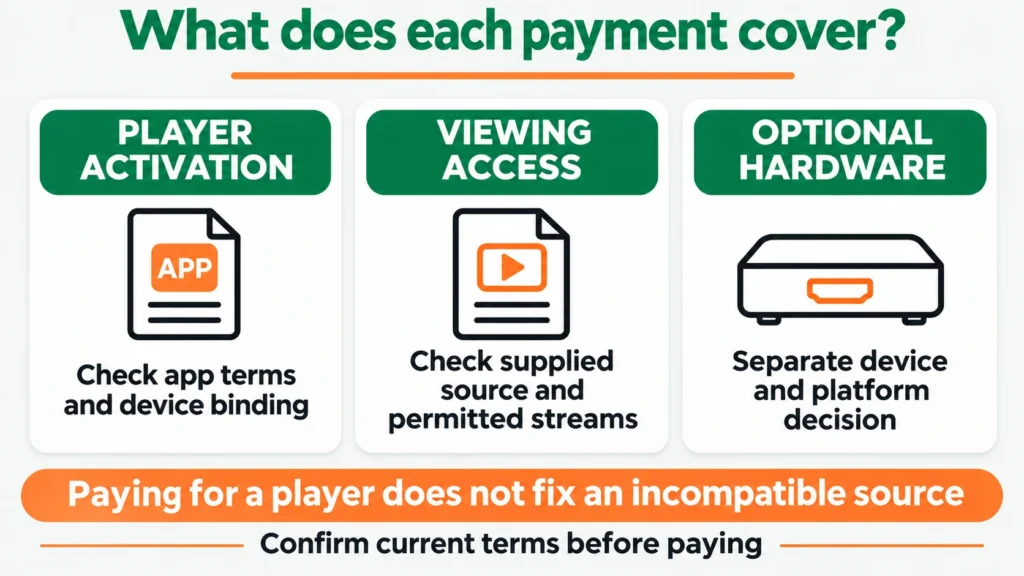
Treat player activation, viewing access and optional hardware as separate purchases. Establish what each payment covers and which organisation supports it. Do not assume that buying software adds channels or expands your content allowance.
The SETIPTV developer FAQ describes a seven-day app trial and activation tied to the device’s MAC without transfer. These are its documented terms, not a Samsung-specific purchase test or terms shared by every player. Recheck the current offer before paying, especially if the television may change.
An app trial is different from a supplier’s viewing-service trial. Their durations, accounts and included access need separate confirmation. Do not use either as evidence that an unsupported source becomes playable after activation.
Before paying for the best IPTV player for Samsung TV for your needs, record:
- Exact app, developer and relevant TV/device reference.
- Current amount, currency and what the activation covers.
- Whether payment recurs or is one-time under the offered terms.
- Trial conditions and the task you were able to test.
- Device binding, replacement-TV rules and any transfer restrictions.
- Purchase support and the information needed for recovery.
Do not assume that a working profile on an old television guarantees a transferable licence or identical playback on a replacement. Ask the app developer about activation and the supplier about continuing viewing access. They answer different questions.
Before committing to the best IPTV player for Samsung TV for your household, resolve any unclear entitlement wording. Ask what happens to the activation if the television is replaced, rather than assuming a purchase receipt guarantees a transferable right.
Keep payment records private and redact identifiers from screenshots. If payment appears completed but activation is unclear, confirm the receipt and device association before paying again. Avoid deleting a working setup as the first experiment.
The best IPTV player for Samsung TV purchase should follow verified usefulness. If the app already fails a required compatibility or remote task, an unclear paid promise is not a reason to proceed. Clarify the limitation first.
7. Compare the best IPTV player for Samsung TV candidates sequentially
Keep the same TV, intended connection, supported source and permitted item where possible. Close the first playback before the next authorised test. Your supplier’s simultaneous-stream allowance remains separate from the number of apps installed or activated.
Use a small comparison record rather than an invented score for the best IPTV player for Samsung TV:
| Check | Candidate A result | Candidate B result |
|---|---|---|
| Available on the actual TV | __________ | __________ |
| Supplied input accepted | __________ | __________ |
| Permitted picture and sound | __________ | __________ |
| Required remote task | __________ | __________ |
| Activation terms understood | __________ | __________ |
Do not run additional sessions merely to fill the worksheet faster. Record app/build, software build, time and any changed conditions. If the source method differs between tests, note that difference rather than treating the results as identical conditions.
A hypothetical comparison might find both catalogues visible but only one candidate comfortable for the intended remote task. Before choosing it, the viewer would still verify playback and the relevant activation conditions. That illustration supplies no real product result or universal winner.
If both candidates fail, the best IPTV player for Samsung TV question remains unresolved. Ask about the first failed stage rather than assuming an extra purchase is needed. Preserve a supported recovery route before removing profiles or changing the working arrangement.
Where no suitable native player is available, investigate a compatible external HDMI device separately. It runs its own platform and apps; it is not an Android app installed on the Samsung television. Check device, player, input and purchase compatibility as a new decision.
You do not need extra hardware simply because one app is absent. The best IPTV player for Samsung TV choice may be a verified native candidate, while another household needs a different supported platform. Neither conclusion follows from a website recommendation alone.
Frequently asked questions
Which is the best IPTV player for Samsung TV?
Choose by your exact model, actual availability, supplied input, remote tasks and activation terms. Smart IPTV and SETIPTV are documented candidates to investigate, not proven universal winners. Test the intended task before buying activation.
What if I cannot find an app on the television?
Confirm its exact name, developer, model support and current store availability. Regional and model differences matter. An absent result does not establish that an Android package or an older-model installation guide will work on your set.
Can I install an Android APK on a Tizen TV?
Do not treat Android packages as a native Tizen installation route. For the best IPTV player for Samsung TV decision, verify software for the actual platform. An external Android device is a separate system and purchase choice.
Does app activation supply viewing content?
Not for the documented candidates discussed here. Their player software and your authorised viewing access are separate. An activation also does not establish source compatibility or permission for more simultaneous streams.
What if my supplied input does not match the app?
Ask for a supported form or verify another appropriate workflow before paying. Comparing IPTV players for Samsung TV requires matching the actual input. Do not invent endpoints, convert credentials publicly or assume every app accepts the same account fields.
What if my remote has fewer buttons than the instructions show?
Check the current app documentation for your remote and model. Record the exact task you cannot reach. When assessing IPTV players for Samsung Smart TV, a full-size remote demonstration is not proof of identical compact-remote controls.
Can activation be moved to another television?
Check the individual developer’s current terms. SETIPTV’s FAQ states that its device-bound activation cannot be transferred; do not generalise that rule to every player. Confirm replacement conditions before relying on a previous purchase.
Is a separate HDMI streaming device necessary?
Not automatically. First establish whether a compatible native option meets your needs. The best IPTV player for Samsung TV decision should lead to external hardware only when that separate platform is an appropriate, verified alternative.
Your next step
Gather the model code, software build, supplied input type and one required remote task. Use those details to investigate the best IPTV player for Samsung TV for your setup before paying for activation. If a supported route remains unclear, request setup assistance with sanitised information and the first stage you could not complete.