
Best IPTV Player for iPad: 7 Practical Checks Before You Choose
Compare documented iPad player options by compatibility, supplied input, touch navigation and multitasking, then test the tasks you need before buying extras.
On this page
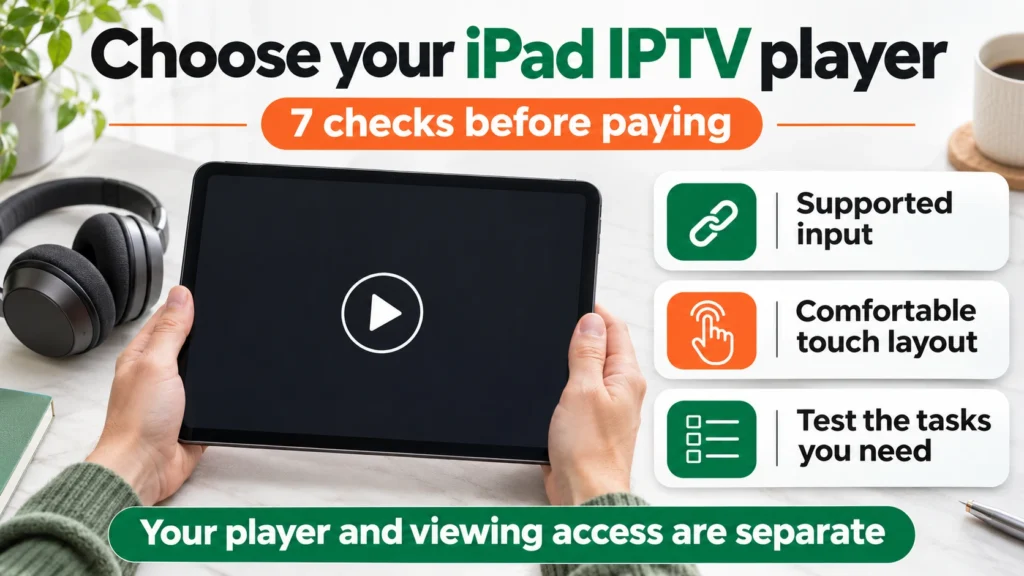
The best IPTV player for iPad is the one that fits your tablet, supplied input and everyday viewing tasks. IPTVX and UHF are two documented candidates to evaluate, rather than ranked winners. Check iPad compatibility, load your supported authorised source and test one permitted item, comfortable touch navigation and Picture in Picture if needed. Confirm the actual purchase conditions before paying for extras. Installing a player does not supply a channel subscription or establish extra simultaneous viewing permission.
Start with how you use the tablet: held upright, resting in landscape or beside another task. A convincing store description creates a shortlist. Your own observations establish whether its layout and controls suit that use.
1. Define the best IPTV player for iPad around your device
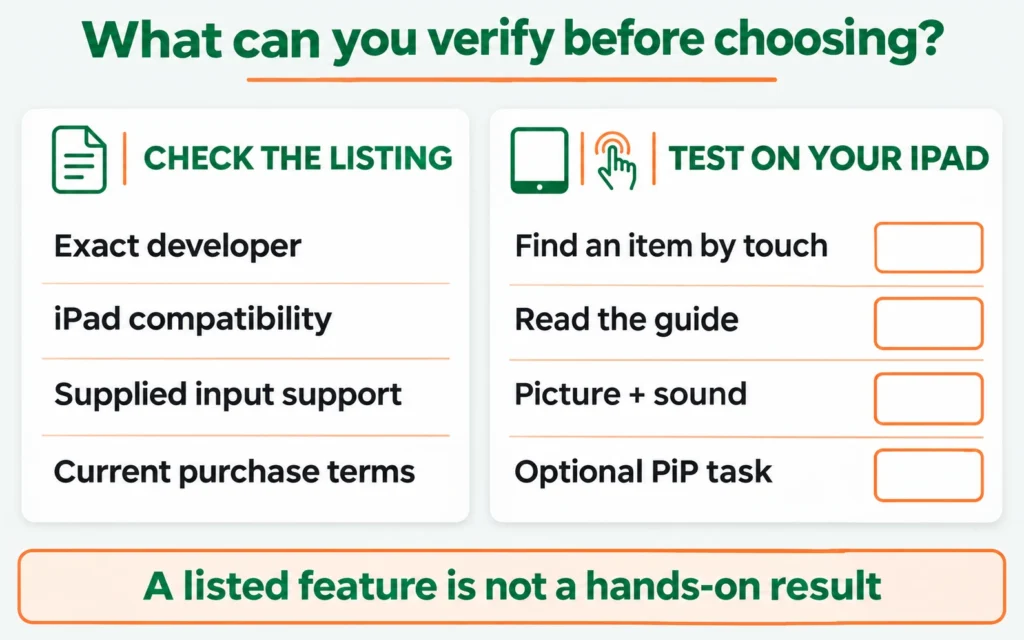
Record your iPad model, installed iPadOS version and the storefront associated with your account. Check the candidate’s iPad compatibility entry specifically, rather than the neighbouring iPhone or Apple TV requirement.
For both candidates discussed here, the UK listings inspected on 9 November 2026 showed iPadOS 16.0 or later. These are dated operating-system requirements, not app version numbers or permanent compatibility promises. Check them again on the intended device before purchasing features.
Do not replace a tablet or buy an entitlement simply because a familiar app name appears in a search. Establish that its current edition is actually offered to your account and can run on your iPad. A browser listing is not an installation result.
An iPad IPTV player also needs a tablet workflow. A shared product name across Apple platforms does not establish identical navigation, controls or purchases. If you also use a television box, our Apple TV player guide covers that separate platform; its remote tasks and tvOS requirements do not determine this decision.
Write down one essential task before comparing apps. It might be returning to a schedule after playback or watching supported video while using another app. The best IPTV player for iPad should satisfy that named need on your actual tablet, not merely offer the longest feature description.
2. Compare documented IPTV apps for iPad and match your input
IPTVX and UHF qualify for this shortlist because their primary listings identify an iPad edition and relevant source inputs. The comparison below records listing evidence, not measured speed, a hands-on review or a complete paid-feature matrix. When comparing IPTV apps for iPad, decide which listed facts actually affect your intended task.
| Criterion | IPTVX | UHF |
|---|---|---|
| Listed provider | Bending X – FZE | Short Wavelength Applications SL |
| Tablet designation | Designed for iPad | Designed for iPad |
| Minimum observed on 9 November 2026 | iPadOS 16.0 or later | iPadOS 16.0 or later |
| Relevant advertised inputs | Xtream API, M3U/M3U8 | M3U8 and Xtream |
| Tablet functions to investigate | Guide/track controls and Picture in Picture | Touch-oriented guide and Picture in Picture |
| Before paying | Exact iPad entitlement and account conditions | Exact iPad function and core/PRO scope |
These facts and advertised capabilities come from the linked developer listings. Neither column establishes the best IPTV player for iPad through testing.
IPTVX describes user-supplied content and an iCloud-account requirement. UHF describes user-added content, core functions and an optional PRO offer. Keep those app-specific statements separate: one candidate’s account condition is not automatically the other’s. Shared-platform descriptions still need checking against your iPad build and intended task.
Identify your supplied input next. A local playlist file, a full remote playlist URL and server/account details need different supported routes. The M3U file-versus-URL explanation helps with playlists; the Xtream Codes login guide explains the account distinction.
Preserve the complete supplied information. Do not strip an address into a guessed server field, invent an endpoint or send credentials to an online converter. If the documented import does not match what you received, ask the supplier for a supported form before entering private data elsewhere.
When choosing the best IPTV player for iPad, successful catalogue retrieval is only one result. Media playback, guide data and optional functions need their own observations. Keep full access URLs, usernames, tokens and QR codes out of shared screenshots.
3. Test touch and layout to find the best IPTV player for iPad
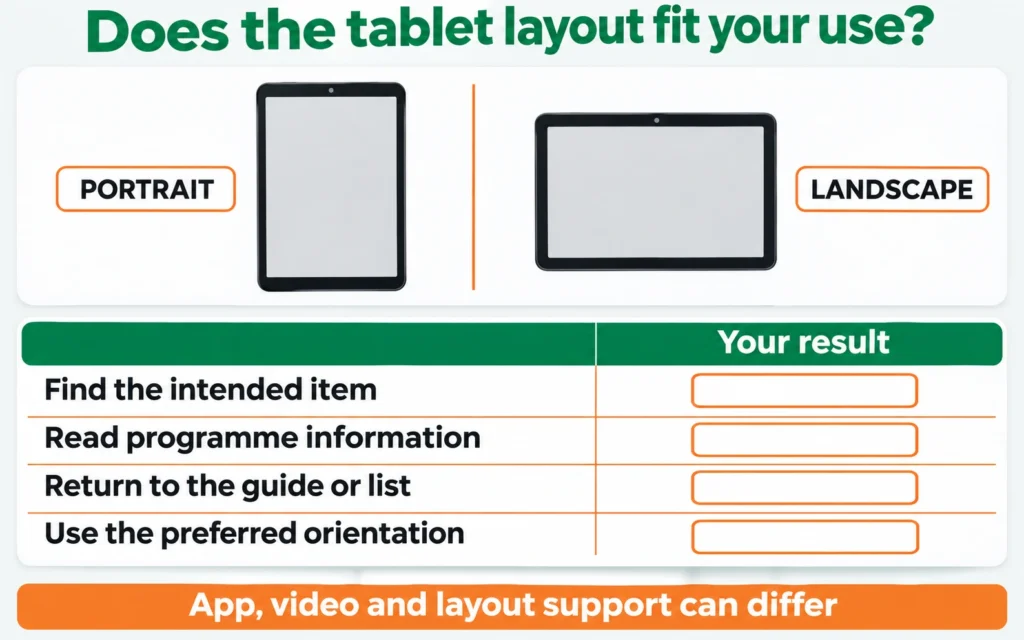
Use the tablet as you normally would, at your normal viewing distance. Find one item your account should currently be able to access. Check whether the selection is clear and whether you can return to the list or guide without repeating an awkward search.
The best IPTV player for iPad needs to be comfortable for your own tasks. A “Designed for iPad” label does not establish that you have tested text readability, accessibility, external-keyboard behaviour or each orientation. Note the task and outcome rather than turning the label into a usability score.
Try reading programme information in the positions you intend to use. Landscape may expose more usable space for one task, while portrait may suit another. Rotation and a comfortable layout are separate results: the screen can rotate without making text or navigation better for you.
Apple’s iPad rotation guidance describes checking Rotation Lock in Control Centre and notes that some apps do not support rotation. A failure to turn therefore does not establish an app defect or an incompatible old tablet. Apply the guidance without assuming either candidate’s layout result.
Set a priority before testing the best IPTV player for iPad candidates. If you mostly read a schedule with the tablet on a stand, test that position. If you hold it upright, repeat the same task there and note any practical difference.
Tablet task worksheet
| Task | What to record | Your result |
|---|---|---|
| Find a permitted item by touch | Intended item identifiable and selectable | __________ |
| Return from playback | Guide/list context you reach | __________ |
| Read programme information | Legibility at normal viewing distance | __________ |
| Use your preferred orientation | Rotation behaviour and usable layout separately | __________ |
| Inspect supplied tracks, where supported | Available audio/subtitle options and selection result | __________ |
Distinguish a track that is offered but unselected from one the app does not expose through this route. Do not assign every missing option to the source or assume payment creates it. Record the selected item and what is actually shown before asking about support.
When comparing the best IPTV player for iPad for your household, keep the worksheet practical. A note such as “returning to my previous guide position is difficult” gives you a requirement to investigate. It is more useful than an unsupported claim that one application has better design for everyone.
4. Find the best IPTV player for iPad for your PiP task
Picture in Picture, or PiP, is a specific multitasking capability. Apple’s iPad PiP guidance explains that supported video can remain visible while you use another app. It depends on supported apps and videos; availability cannot be assumed for every stream or account arrangement.
If PiP matters to your best IPTV player for iPad choice, make it a separate test after ordinary playback. An app advertising the capability gives you something to investigate, not an observed result on your build.
Use one permitted item and follow the current documented route for the candidate and iPadOS. Do not assume a button, gesture or automatic transition from a phone demonstration applies unchanged.
Use this short PiP test:
- Start one permitted item using the supported viewing route.
- Try the candidate’s documented PiP action for your build.
- Record whether the smaller window appears and sound continues through the intended output.
- Return to the player and note the viewing state you reach.
You do not need to start another video stream just to test multitasking. A small video window is not automatically a second content connection, but actual session accounting depends on the implementation and supplier rules. Keep the test within those rules.
PiP is different from arranging app windows, displaying two videos in multiview, casting to another screen or using an external display. Seeing two apps does not establish background playback or offline access. Do not buy on the assumption that one supported task guarantees all the others.
If PiP is unavailable, note the app/build, iPadOS and tested item. Check the supported app/video conditions before calling it a paywall or a fault. The best IPTV player for iPad remains a fit decision; a missing optional function matters only if your intended use requires it.
5. Check costs before choosing the best IPTV player for iPad
Apple’s app-download guidance distinguishes a free download shown by Get from additional in-app purchases and subscriptions. Obtaining an app without a download charge does not establish that every function is free. Confirm the actual offer for the iPad edition and account you will use.
For the best IPTV player for iPad purchase decision, identify the exact function you need to unlock. Do not copy a price from an old review, assume every listed purchase is the same bundle or treat a television entitlement as confirmed iPad coverage.
When shortlisting the best IPTV player for iPad, distinguish an essential unlock from an attractive extra. Check whether the limitation you observed is actually addressed by the offer. A bundle name alone does not answer that question or establish its coverage.
Before confirming payment, record:
- The offered amount, currency and tax information shown.
- Whether payment is one-time or recurring, with the relevant billing period.
- The exact iPad function or bundle included.
- The purchase account and supported restoration route.
- Any app-specific account or iCloud condition.
- Where purchase and entitlement support are handled.
A store account, a candidate-specific account and the supplier’s content credentials serve different purposes. Keep recovery information private and avoid pasting one account’s credentials into another account’s fields. Successful payment does not verify that the viewing source is current or reachable.
The best IPTV player for iPad is not necessarily the option with more paid functions. If available basic use already meets your tested need, keep using it. If a required feature is gated, confirm both inclusion and the source/device conditions before deciding whether the unlock is useful.
Treat offline downloads, casting, recording and synchronisation as independently verified tasks. Ask exactly what a sync function transfers and between which supported devices. Do not interpret favourites syncing as transferred recordings or additional content connections.
A paid iPad IPTV player entitlement cannot by itself supply a missing programme guide or create a track. Review the data and access requirements separately. If a feature description is unclear, ask the developer about the specific platform and purchase rather than paying to discover its scope.
6. Compare the best IPTV player for iPad candidates sequentially
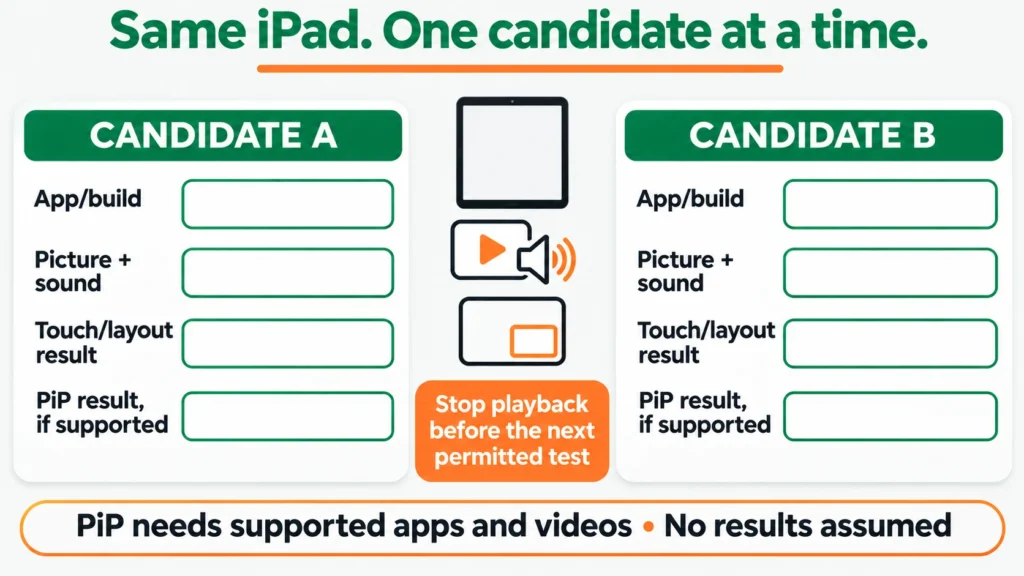
Use the same iPad, intended connection, supported source and permitted item where possible. Stop the first playback and any other sessions required by the supplier before starting the next test. Installing two candidates does not expand your viewing allowance.
A controlled comparison supports the best IPTV player for iPad choice by showing which task worked under which conditions. Avoid changing the network, source and app together, because a different result then becomes harder to interpret.
For each candidate, retain:
- App name and installed version/build.
- iPad model and iPadOS version.
- Input-method type, keeping private details separate.
- Tested item and attempt date, time and timezone.
- Catalogue result, then picture and sound results.
- Touch/layout result in your preferred orientation.
- Optional PiP result, if required and supported.
Test catalogue retrieval, video playback and layout separately. One working item does not validate every format, source or feature. Equally, two failed attempts do not establish a provider-wide outage or prove that the iPad is faulty.
For the best IPTV player for iPad comparison, record untested functions as untested. A blank observation is more honest than assuming another platform’s feature list establishes the result.
Side-by-side record of sequential tests
Use the same question for each candidate. These are fields for your own results, not scores assigned to IPTVX or UHF.
| Observation | Candidate A | Candidate B |
|---|---|---|
| App and installed build | __________ | __________ |
| Supplied input method | __________ | __________ |
| Picture and sound result | __________ | __________ |
| Touch and landscape task | __________ | __________ |
| PiP result, if required | __________ | __________ |
| Purchase scope to confirm | __________ | __________ |
Hypothetical example: landscape navigation makes the difference
This is a fictional example, not a customer story or a hands-on comparison of IPTVX and UHF.
A viewer evaluates two compatible candidates with the same supported source on one iPad. Both display the intended item. In separate permitted playback tests, the viewer records picture and sound, then checks returning from landscape playback to the desired guide position.
In this hypothetical test, only one candidate meets the viewer’s preferred landscape-to-guide task. Before choosing it, they inspect the actual offer to confirm that the needed function belongs to the edition or plan they intend to use.
That makes it the better fit for this fictional task, not the best IPTV player for iPad for every reader. No faster loading, greater stability or universal format support has been established.
If the same viewer cannot enter PiP, that remains a separate observation. They check the supported video, build and current instructions before assigning a cause or assuming an upgrade fixes it.
7. Choose the best IPTV player for iPad on observed fit
Use the comparison to make a decision you can explain. Keep the best IPTV player for iPad choice tied to the task you recorded, rather than a feature you have not tried. The best IPTV player for iPad should meet a verified need on your setup, with purchase conditions you understand.
Check six points:
- Current compatibility with your iPad and installed software.
- A supported route for the input actually supplied.
- Usable touch navigation and your preferred layout.
- Permitted playback with recorded picture and sound results.
- The optional task you need, tested separately where supported.
- Clear purchase, account-restoration and setup-recovery terms.
If programme information is missing while video works, use the guide-data and mapping checks. If picture is visible without sound, follow the audio troubleshooting checks while keeping that precise observation. Neither result alone identifies a guilty app or supplier.
Preserve a working profile until you have a supported recovery route. A purchase account is not automatically a backup of every local setting. Store source credentials securely and remove private URLs, tokens, account identifiers and notifications from support screenshots.
When asking which is the best IPTV player for iPad for a particular task, describe the task precisely. Include the orientation, the action and the result you expected. That gives support a concrete question rather than a request to confirm a broad marketing promise.
Ask the developer about app/build behaviour and the supplier about input or current access. Include the iPadOS version, item, sanitised error and one repeatable result. Those details are more useful than declaring that everything failed.
If neither candidate meets an essential requirement, continue looking without inventing a better unresearched alternative. Our wider player-choice guide can help organise the requirements. The best IPTV player for iPad decision can reasonably remain open until a necessary point is clarified.
Frequently asked questions
What is the best IPTV player for iPad for my needs?
Choose by current compatibility, supplied input, comfortable tablet tasks and actual purchase scope. IPTVX and UHF are documented candidates, not proven universal winners. Test the tasks you use instead of relying on a ranking or a shared-platform screenshot.
Are IPTVX and UHF native iPad candidates?
Their UK listings identify them as Designed for iPad and listed iPadOS 16.0 or later when checked. Confirm current availability and requirements on your own account. That evidence does not establish tested behaviour on every tablet.
Can I use M3U or Xtream access on an iPad?
Both candidates advertise relevant inputs. Check the exact supplied form against the installed edition’s documented route. A supported input label does not validate your current account or promise every catalogue item will play.
Does downloading a player include channels?
These candidates require user-supplied content. Choosing the best IPTV player for iPad does not obtain a viewing subscription, establish content entitlement or increase permitted streams. Keep software and authorised access separate.
Why does Picture in Picture not appear?
PiP needs supported apps and videos. Check the tested item, installed build, current instructions and any relevant plan scope. Absence alone does not establish a paywall, permanent lack of support or a particular fault.
Does landscape rotation guarantee a better layout?
No. Successful rotation and comfortable reading/navigation are separate observations. Check Rotation Lock and app support where relevant, then test the layout you prefer. Do not assume rotating the screen improves every task.
Does a paid upgrade add extra simultaneous viewing?
Not by itself. Your supplier’s simultaneous-stream allowance is separate from software entitlements, sync and sharing. Stop other playback as required before each permitted comparison.
Can an Apple TV app purchase be assumed to cover the iPad?
No. Verify the exact purchase’s platform coverage, relevant account and supported restoration conditions. A shared product name does not establish identical entitlements. Confirm coverage before paying again or replacing a working setup.
Your next step towards the best IPTV player for iPad
Choose the best IPTV player for iPad by confirming compatibility, matching your input and recording one meaningful tablet-task result. Check optional PiP separately and read the current offer before buying extras. If a setup question remains, use our setup help with a sanitised description of the first unclear stage.